



Honeywell Home RedLINK
Honeywell Home RedLINK products are wireless thermostats and accessories built around Honeywell Home's proprietary RedLINK communication technology. This technology lets a thermostat talk to remote sensors and other system components without running low-voltage wire between them. This makes RedLINK equipment a practical fit for retrofits where pulling new wire through finished walls is impractical.
Contractors install Honeywell Home RedLINK systems in homes where temperature readings from a single location do not represent comfort throughout the rest of the house. One example is a thermostat mounted near a drafty entryway. Adding wireless remote sensors lets the system average or prioritize readings from multiple rooms instead of relying on one fixed location.

Subcategories
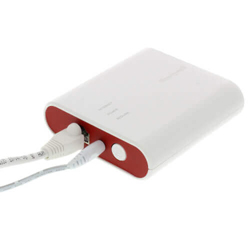
- Honeywell Home RedLINK Accessories: Honeywell Home RedLINK accessories include the wireless remote sensors, repeaters, and other add-on components that expand what a RedLINK thermostat can monitor and control. Remote sensors report temperature from additional rooms back to the main thermostat over the RedLINK wireless connection. Repeaters extend the wireless range in larger homes where a sensor would otherwise sit outside normal signal range.
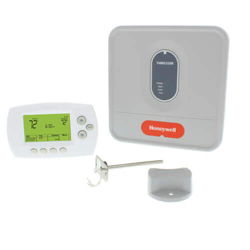
- Honeywell Home RedLINK Thermostat Kits: Honeywell Home RedLINK thermostat kits bundle a compatible thermostat with one or more RedLINK accessories, such as a remote sensor. A contractor can complete a multi-point installation from a single package. Kits are typically built around a specific thermostat model and a set number of accessories. Confirming the kit's exact contents against the job's requirements before ordering avoids having to special-order missing pieces.
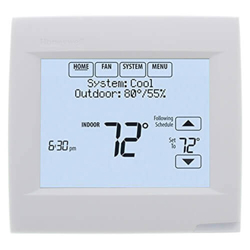
- Honeywell Home RedLINK Thermostats: Honeywell Home RedLINK thermostats are the wireless-enabled control units at the center of a RedLINK system, communicating with remote sensors and other accessories without additional low-voltage wiring. They range from basic programmable models to units with broader HVAC system compatibility. Matching the thermostat to the connected heating and cooling equipment is necessary before adding any RedLINK accessories.
Buying Guide
Selecting Honeywell Home RedLINK equipment starts with confirming the thermostat's compatibility with the connected heating and cooling equipment. A RedLINK thermostat has to match the system's wiring configuration and staging before any wireless accessories are added to the setup.
Coverage needs come next. A single-story home with a straightforward layout may only need one or two remote sensors. A larger or multi-story building may need a repeater in addition to sensors to keep the wireless connection reliable throughout the space.
Retrofit jobs are where RedLINK equipment offers the most practical advantage. Because remote sensors communicate wirelessly, a contractor can add multi-point temperature sensing to an existing home without opening walls to run new low-voltage wire between rooms.
Kits are worth considering when a job's requirements match a standard bundle. A Honeywell Home RedLINK thermostat kit that already includes the needed sensors can save time compared to sourcing each component separately. This holds only if the kit's included thermostat model fits the job.
Signal range and building layout should factor into planning before installation begins. Thick walls, metal ductwork, and long distances between the thermostat and a remote sensor can all affect wireless range. In larger homes, a repeater accessory helps address this.
Frequently Asked Questions
What does RedLINK technology do in a Honeywell Home thermostat?
RedLINK is Honeywell Home's wireless communication technology that lets a thermostat exchange data with remote sensors and other accessories without running additional low-voltage wire. This allows temperature readings from multiple rooms to factor into how the system operates.
Do I need a Honeywell Home RedLINK thermostat kit, or can I buy components separately?
Either approach works. A kit is convenient when its included thermostat model and accessory count already match the job. Buying components separately gives more flexibility to mix a specific thermostat with only the sensors or repeaters actually needed.
How do I decide how many remote sensors a Honeywell Home RedLINK installation needs?
Start with the layout of the building. A single-story home with a straightforward layout may only need one or two remote sensors. A larger or multi-story building may need a repeater in addition to sensors to keep the wireless connection reliable.
When is a RedLINK repeater accessory needed?
A repeater becomes useful when a remote sensor sits too far from the thermostat, or when thick walls, metal ductwork, or other obstructions weaken the wireless signal between them. Adding a repeater extends the reliable range of the RedLINK connection.
Can Honeywell Home RedLINK accessories be added to an existing RedLINK thermostat later?
Yes, RedLINK accessories such as remote sensors and repeaters can typically be added to a compatible thermostat that is already installed. The wireless connection does not require new wiring. Confirming the existing thermostat model supports additional accessories is the main compatibility check needed.
Resources

 --%3E %3C!DOCTYPE svg PUBLIC '-//W3C//DTD SVG 1.1//EN' 'http://www.w3.org/Graphics/SVG/1.1/DTD/svg11.dtd'%3E %3Csvg version='1.1' id='Layer_1' xmlns='http://www.w3.org/2000/svg' xmlns:xlink='http://www.w3.org/1999/xlink' x='0px' y='0px' width='90px' height='90px' viewBox='0 0 90 90' enable-background='new 0 0 90 90' xml:space='preserve'%3E %3Crect x='27' y='23' fill='%23FFFFFF' width='43' height='44'/%3E %3Cg%3E %3Cdefs%3E %3Crect id='SVGID_1_' width='90' height='90'/%3E %3C/defs%3E %3CclipPath id='SVGID_2_'%3E %3Cuse xlink:href='%23SVGID_1_' overflow='visible'/%3E %3C/clipPath%3E %3Cpath clip-path='url(%23SVGID_2_)' fill='%234186AD' d='M45,0C20.1,0,0,20.1,0,45c0,24.9,20.1,45,45,45c24.9,0,45-20.1,45-45 C90,20.1,69.9,0,45,0'/%3E %3C/g%3E %3Cpath fill='%23FFFFFF' d='M60.6,47.4l-22.5,14c-0.5,0.3-1,0.399-1.5,0.399s-0.9-0.1-1.4-0.399c-0.9-0.5-1.4-1.4-1.4-2.5v-28 c0-1,0.6-2,1.4-2.5c0.9-0.5,2-0.5,2.9,0.1l22.5,14.1C61.4,43.1,61.9,44,61.9,45S61.4,46.9,60.6,47.4'/%3E %3C/svg%3E)
Subcategories
- Honeywell Home RedLINK Accessories: Honeywell Home RedLINK accessories include the wireless remote sensors, repeaters, and other add-on components that expand what a RedLINK thermostat can monitor and control. Remote sensors report temperature from additional rooms back to the main thermostat over the RedLINK wireless connection. Repeaters extend the wireless range in larger homes where a sensor would otherwise sit outside normal signal range.
- Honeywell Home RedLINK Thermostat Kits: Honeywell Home RedLINK thermostat kits bundle a compatible thermostat with one or more RedLINK accessories, such as a remote sensor. A contractor can complete a multi-point installation from a single package. Kits are typically built around a specific thermostat model and a set number of accessories. Confirming the kit's exact contents against the job's requirements before ordering avoids having to special-order missing pieces.
- Honeywell Home RedLINK Thermostats: Honeywell Home RedLINK thermostats are the wireless-enabled control units at the center of a RedLINK system, communicating with remote sensors and other accessories without additional low-voltage wiring. They range from basic programmable models to units with broader HVAC system compatibility. Matching the thermostat to the connected heating and cooling equipment is necessary before adding any RedLINK accessories.
Buying Guide
Selecting Honeywell Home RedLINK equipment starts with confirming the thermostat's compatibility with the connected heating and cooling equipment. A RedLINK thermostat has to match the system's wiring configuration and staging before any wireless accessories are added to the setup.
Coverage needs come next. A single-story home with a straightforward layout may only need one or two remote sensors. A larger or multi-story building may need a repeater in addition to sensors to keep the wireless connection reliable throughout the space.
Retrofit jobs are where RedLINK equipment offers the most practical advantage. Because remote sensors communicate wirelessly, a contractor can add multi-point temperature sensing to an existing home without opening walls to run new low-voltage wire between rooms.
Kits are worth considering when a job's requirements match a standard bundle. A Honeywell Home RedLINK thermostat kit that already includes the needed sensors can save time compared to sourcing each component separately. This holds only if the kit's included thermostat model fits the job.
Signal range and building layout should factor into planning before installation begins. Thick walls, metal ductwork, and long distances between the thermostat and a remote sensor can all affect wireless range. In larger homes, a repeater accessory helps address this.
Frequently Asked Questions
What does RedLINK technology do in a Honeywell Home thermostat?
RedLINK is Honeywell Home's wireless communication technology that lets a thermostat exchange data with remote sensors and other accessories without running additional low-voltage wire. This allows temperature readings from multiple rooms to factor into how the system operates.
Do I need a Honeywell Home RedLINK thermostat kit, or can I buy components separately?
Either approach works. A kit is convenient when its included thermostat model and accessory count already match the job. Buying components separately gives more flexibility to mix a specific thermostat with only the sensors or repeaters actually needed.
How do I decide how many remote sensors a Honeywell Home RedLINK installation needs?
Start with the layout of the building. A single-story home with a straightforward layout may only need one or two remote sensors. A larger or multi-story building may need a repeater in addition to sensors to keep the wireless connection reliable.
When is a RedLINK repeater accessory needed?
A repeater becomes useful when a remote sensor sits too far from the thermostat, or when thick walls, metal ductwork, or other obstructions weaken the wireless signal between them. Adding a repeater extends the reliable range of the RedLINK connection.
Can Honeywell Home RedLINK accessories be added to an existing RedLINK thermostat later?
Yes, RedLINK accessories such as remote sensors and repeaters can typically be added to a compatible thermostat that is already installed. The wireless connection does not require new wiring. Confirming the existing thermostat model supports additional accessories is the main compatibility check needed.