




'/%3E%3C/svg%3E)
Hover image to zoom
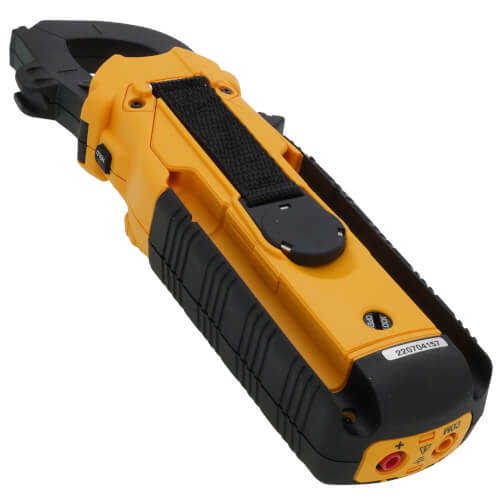
True-RMS Dual Display 600A Clamp Meter w/ DC Amps & Differential Temperature Combo
 --%3E %3Csvg version='1.1' id='No-RB' xmlns='http://www.w3.org/2000/svg' xmlns:xlink='http://www.w3.org/1999/xlink' x='0px' y='0px' viewBox='0 0 100 100' enable-background='new 0 0 100 100' xml:space='preserve'%3E %3Cpath fill='%23CECECE' d='M79.44,0.95H20.56C9.78,0.95,0.95,9.78,0.95,20.56v58.87c0,10.79,8.82,19.61,19.61,19.61h58.87 c10.79,0,19.61-8.83,19.61-19.61V20.56C99.05,9.78,90.22,0.95,79.44,0.95z M65.38,58.24l9.38,29.58L49.69,69.78L24.5,87.82 l9.34-29.6L8.8,39.6l30.73-0.17c0,0,6.98-19.61,10-28.93c0.54,1.36,9.88,29.1,9.88,29.1H91.2L65.38,58.24z'/%3E %3C/svg%3E)
Hover image to zoom
$314.60 each

In Stock

Order by today, receive Tuesday
MANUALS (1)
This item replaces: DL389BCOMBO, DL389COMBO, DL489COMBO
Free Shipping This item ships free
Easy Returns No restocking fee for 90 days
Product Highlights
–

750v

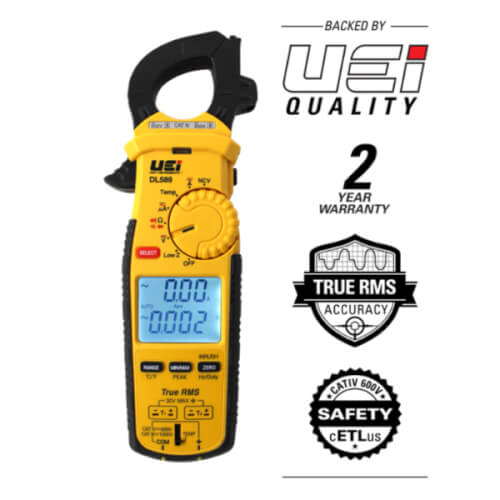
2 Year Limited Warranty
Description
–
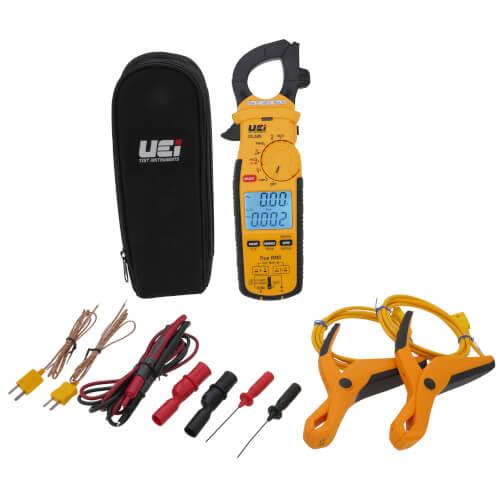
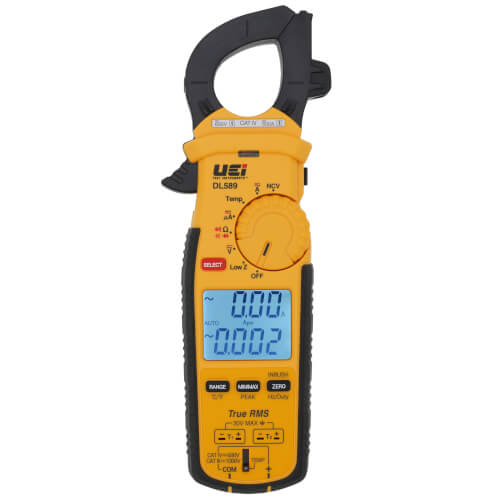
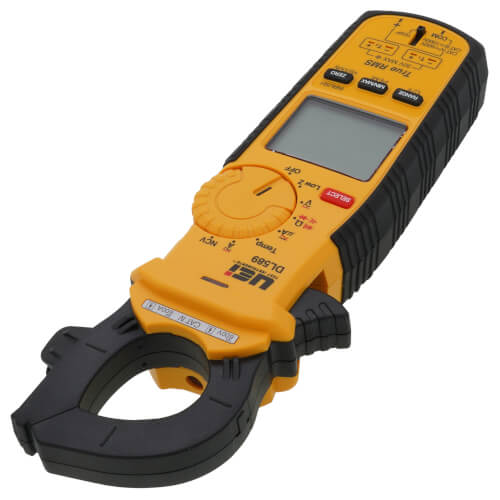
True-RMS Dual Display 600A Clamp Meter w/ DC Amps & Differential Temperature Combo measures capacitance, voltage, microamps, circuit continuity, resistance, and temperature via K-Type thermocouples.
Features:
Specifications:
Includes:
Features:
- Circuits in molex plugs, and diode malfunctions
- Flame sensing
- Check system boards and live wires
- TRMS
- Backlit Dual Display and Worklight
- Min/Max/Avg/Hold
- Peak Hold
- Auto Volts & Amp selection
- Built-in Magnet w/ hanging strap
- Test Lead Storage
- Visible high-voltage alert
- Easy access battery cover latches
- Overmolded grip
- Auto and Manual ranging
- Input Jack Lock
- Auto calibration
- Auto Power Off
- Low Battery Indicator
- 2-Year limited warranty
Specifications:
- Display count: 6000
- Low battery warning: Yes
- Protective boot or overmolding: Yes
- AC Volts: 750VAC
- DC Volts: 1000VDC
- AC current (amps): 600A AC
- DC current (amps): 600A DC
- Resistance (Ohms): 60MOhms
- Continuity: Yes
- Diode: Yes
- NCV Detection: Yes
Includes:
- Silicone Test Leads (ATL58)
- Back Probes (APB3)
- Alligator Clips (AAC3)
- 2 Temperature Probes (ATT29)
- Zippered Pouch
- 4 Batteries (AAA)
- 2 Pipe Clamp Probes (ATTPC4)
- Manual
Specs
–
| Product Type: | Clamp Meter |
|---|---|
| Voltage: | 750v |
| Battery Type: | AAA |
| Batteries Included: | 4 |
| Warranty: | 2 Year Limited |


Questions?
Speak with a real person who will go out of the way to help!
Call or text 888-757-4774
Monday – Thursday
8am–7:45pm
Friday
9am–7:45pm
Saturday – Sunday
9am–5:45pm
Product Q&A
1 Question1 Question
Q: Can you calibrate the temperature?
Asked by Boyce 3 years ago
Add your answer
Verified Reply- SupplyHouse StaffHi Boyce. The steps for temperature calibration are as follows: 1) Set dial position to “°F°C” and check T1 mode 2) Press and hold SELECT button for about 2 seconds 3) Press HOLD button while “FCAL” is displayed on top of the LCD to enter Field Calibration. 4) After immersing T1 temperature probe in ice bath and the temperature is stable, press and hold Hz/Duty button 5) Press SELECT button to switch to T2 mode. 6) After immersing T2 temperature probe in ice bath and temperature is stable, press and hold Hz/Duty button to complete Field Calibration
Was this review helpful to you?
Free Shipping
On orders over $99
We offer flexible shipping and scheduling options, up-to-date delivery estimates, and free ground shipping on any order over $99 to make sure your order gets to you on-time, for less.
Shipping PolicyEasy Returns
Returning items is as simple as 1-2-3
Ordered the wrong product? Item damaged in transit? Our 3-step process makes returning products easy – even up to a year after purchase – with no restocking fees on returns made within 90 days.
Return Policy