



'/%3E%3C/svg%3E)
VisionPRO Remote Indoor Sensor - Wired
 --%3E %3Csvg version='1.1' id='Fill' xmlns='http://www.w3.org/2000/svg' xmlns:xlink='http://www.w3.org/1999/xlink' x='0px' y='0px' viewBox='0 0 100 100' enable-background='new 0 0 100 100' xml:space='preserve'%3E %3Cpath fill='%23F15C02' d='M79.44,0.95H20.56C9.78,0.95,0.95,9.78,0.95,20.56v58.87c0,10.79,8.82,19.61,19.61,19.61h58.87 c10.79,0,19.61-8.83,19.61-19.61V20.56C99.05,9.78,90.22,0.95,79.44,0.95z M65.38,58.24l9.38,29.58L49.69,69.78L24.5,87.82 l9.34-29.6L8.8,39.6l30.73-0.17c0,0,6.98-19.61,10-28.93c0.54,1.36,9.88,29.1,9.88,29.1H91.2L65.38,58.24z'/%3E %3C/svg%3E)
 --%3E %3Csvg version='1.1' id='Half' xmlns='http://www.w3.org/2000/svg' xmlns:xlink='http://www.w3.org/1999/xlink' x='0px' y='0px' viewBox='0 0 100 100' enable-background='new 0 0 100 100' xml:space='preserve'%3E %3Cg%3E %3Cpath fill='%23F15C02' d='M30.05,70.23l3.79-12.01L8.8,39.6l30.73-0.17c0,0,6.98-19.61,10-28.93c0.54,1.36,9.88,29.1,9.88,29.1h1.58 L93.71,7.18c-3.58-3.82-8.66-6.23-14.28-6.23H20.56C9.78,0.95,0.95,9.78,0.95,20.56v58.87c0,5.41,2.22,10.32,5.79,13.88 L30.05,70.23z'/%3E %3C/g%3E %3Cpath fill='%23FBC8B4' d='M93.71,7.18L60.98,39.6H91.2L65.38,58.24l9.38,29.58L49.69,69.78L24.5,87.82l5.55-17.59L6.75,93.32 c3.55,3.54,8.44,5.73,13.82,5.73h58.87c10.79,0,19.61-8.83,19.61-19.61V20.56C99.05,15.4,97.01,10.69,93.71,7.18z'/%3E %3C/svg%3E)


MANUALS (1)
Description
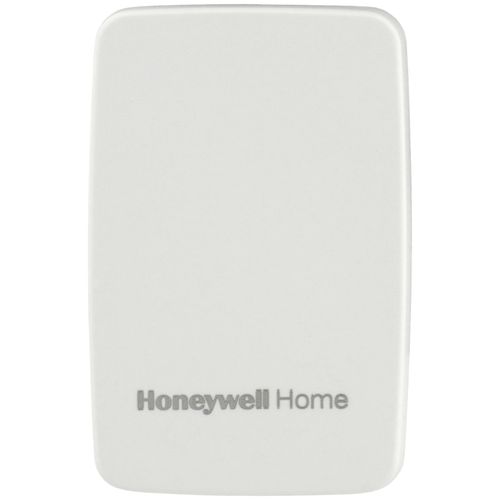
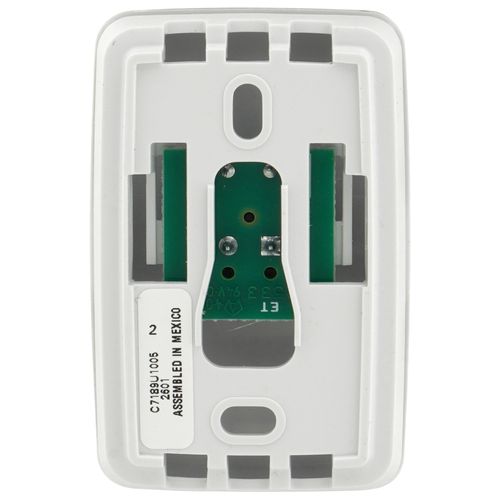
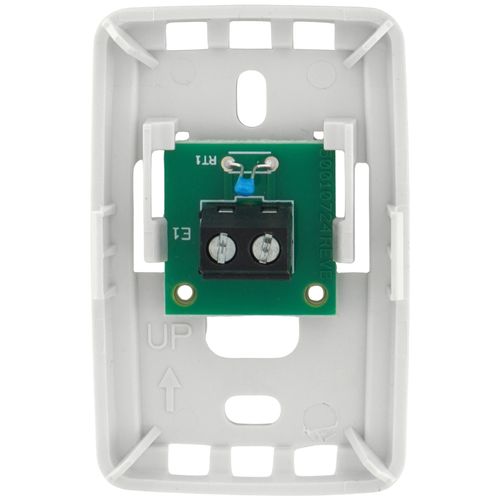
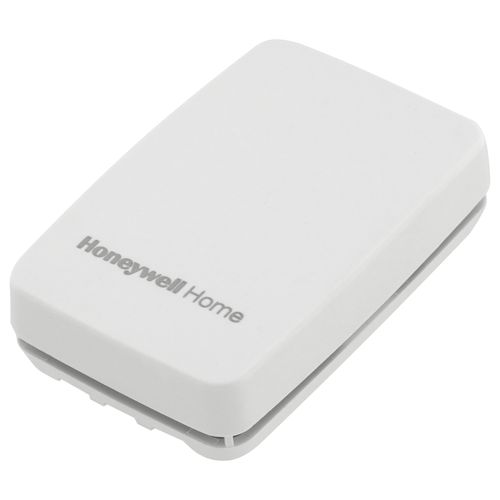
- Description: Remote indoor sensor for remote sensing applications.
- Application: Remote Indoor Temperature Sensor for VisionPRO and VisionPRO IAQ Thermostats
- Color: Premier White
- Dimensions (in.): 1 1/2 in. wide x 2 1/4 in. high x 3/4 in. deep
- Dimensions (mm): 38 mm wide x 57 mm high x 19 mm deep
- Mounting: Mounts directly on the wall using mounting screws and anchors provided
- Setting Temperature Range (F): See VisionPRO Thermostats
- Setting Temperature Range (C): See VisionPRO Thermostats
- Operating Humidity Range (% RH): 5 to 95% RH, non-condensing
- Temperature Range, Ambient (F): 45ª F to 88ª F
- Temperature Range, Ambient (C): 7ª C to 32ª C
- Used With: VisionPRO and VisionPRO IAQ Series Thermostats
- Used With: VisionPRO Series Thermostats
- Tradeline Value: Tradeline
- Sensor needs to be placed within 250 feet of the thermostat


Questions?
You May Also Need
Product Reviews
Most Liked Positive Review
works great, but sync to thermostat
Most Liked Negative Review
 --%3E %3Csvg version='1.1' id='With-RB' xmlns='http://www.w3.org/2000/svg' xmlns:xlink='http://www.w3.org/1999/xlink' x='0px' y='0px' viewBox='0 0 100 100' enable-background='new 0 0 100 100' xml:space='preserve'%3E %3Cpath fill='%23FBC8B4' d='M79.44,0.95H20.56C9.78,0.95,0.95,9.78,0.95,20.56v58.87c0,10.79,8.82,19.61,19.61,19.61h58.87 c10.79,0,19.61-8.83,19.61-19.61V20.56C99.05,9.78,90.22,0.95,79.44,0.95z M65.38,58.24l9.38,29.58L49.69,69.78L24.5,87.82 l9.34-29.6L8.8,39.6l30.73-0.17c0,0,6.98-19.61,10-28.93c0.54,1.36,9.88,29.1,9.88,29.1H91.2L65.38,58.24z'/%3E %3C/svg%3E)
The Covers need to be more durable
Great Option
I would buy again!
Just what I needed
The Covers need to be more durable
Yes
Still works with newer redlink thermostats
Excellent Product
works great, but sync to thermostat
Works
Most be used with Honeywell thermostat.
Product Q&A
12 QuestionsQ: Is this 10k or 20k?
Asked by rich 2 years ago
Add your answer
Verified Reply- SupplyHouse StaffHi Rich. This sensor has a negative temperature coefficient (NTC), so resistance decreases as the temperature increases. Please see page 4 of the install manual for the exact resistances at different temperatures: https://s3.amazonaws.com/s3.supplyhouse.com/product_files/C7189U1005-Install.pdf
Q: could i use this outdoor ?
Asked by CHAIM 10 years ago
Add your answer
No. It's not weather proof. Terminals would corrode. Sent from my iPhone
Myself being an electronic technician, I wouldn't. It's just a ventilated plastic cover over a cheap circuit board with a sensitive thermistor and not designed to be exposed to outdoor elements.
Hi CHAIM - No, it is not moisture or waterproof.
It is intended for indoor use. It will probably work for a while, but please consider the following outdoor sensor http://www.supplyhouse.com/Honeywell-C7089R1013-Wireless-Outdoor-Sensor-11479000-p?gclid=CPC84fubn84CFU1ahgode68Ebg
I would not. It probably will not be as accurate because of weather. Use the one for outdoors, the cost is about the same andwill certainly last longer.
Q: I see in the instructions that either sensor needs its own wire, separate from the stat wires. Should these wires be braided or solid? Should it be 18g?
Asked by mattberns 12 years ago
Add your answer
You can simply get some brown thermostat wire at your local home improvement store. it comes in a few varieties regarding the number of conductors. you only need a 2 wire one to hook this remote sensor to the thermostat. They are standard 18 Ga and solid. and no runs of more then 250 Ft. Blessings, Dirk
Q: What specific model numbers of VisionPro thermostats can the remote sensor be used with? thanks
Asked by Jon 13 years ago
Add your answer
Can be used with all 7000 and 8000 series IAQ Visionpro thermostats <http://www.amazon.com/Honeywell-C7189U1005-Indoor-Temperature-Thermostats/dp/B003UJYZDG/ref=pd_sim_hi_1/187-5037***.****>Honeywell C7189U1005 White Indoor Remote Temperature Sensor For Th7000 and Th8000 Thermostats
Hi I am not sure with what all the models are. I know that it works with the visionpro TH8000 and TH7000 series. This is a model that has been on the market for many years now. I am not up to speed with what new models support a remote sensor. newer models usually require a wireless remote sensor. It can fairly easily be checked out on the honeywell website. Typical wiring slots are S1 and S2 for optional remote or outdoor sensor. Blessings. Dirk
The 8000 and above for sure. I think one of the 5/2 day programmable does too but not for sure. Maybe it only does the out door sensor. Some advanced models give you the choice of either sensor or an average of the two. Some really cool stats will let you dictate which sensor or both. per programmed time slot. Mr. Cool
Q: So if I have a VisionPro thermostat and 1 sensor... Does it average the temperature of the sensor & tstat or just go off the single remote sensor?
Asked by Eric 13 years ago
Add your answer
The internal thermostat sensor is no longer used with a remote sensor. You can connect more than 1 remote sensor, but they need to be in proper parallel/series configuration to work. Search the internet for 69-1710EFS.pdf and you will find the manual on the Honeywell site.
I seem to recall that the attached sensor effectively disables the internal one but that you can actually attach two remote sensors by twisting the wires together and then it will average the two.
Once the remote sensor is connected to thermostat, the thermostat's sensor is no longer used. The "Inside temperature" reading on the thermostat's display will be the remote sensor location temperature. You can connect multiple sensors to get temperature averaging network, but thermostat wouldn't be part of the averaging network. The max distance of sensor(s) from thermostat is 200 feet. Don't know max number of sensors, the instructions shows as many as 13. Hope this helps.
The Vision Pro Thermostate can be set up to either setting. You can have it monitor the temperature from the remote sensor, or you can set it to do an average of the two.
There are three programmable options in the thermostat under section #340( indoor temperature sensor). 1. Selecting option 0 the thermostat location only will display the temperature. 2. Selecting option 1 the indoor remote thermostat only will display the temperature. 3. Selecting option 2 the temperature will be displayed as an average of both locations. regards
Based upon my discussions with Honeywell, the remote sensor is used as the temperature, not the sensor in the thermostat. Also note, you can have either the remote sensor or the outdoor sensor, but not both. Sadly I didn't learn this until after I had purchased and installed both and was trying to figure out how to wire it all up. Cheers, Jim
You will need to get the Honeywell VisionPro IAQ Thermostat to be able to have it operating averaging between the two.
Q: I have a heating system with 12 zones. Could I connect 12 of these sensors to one thermostat? If not, is there a more suitable product?
Asked by Dclarke 13 years ago
Add your answer
Hi, You can but your zones will not function properly, Unless of course that you have a thermostat that has the capability of managing 12 zones. example: Honeywell TAZ4 TotalZONE Add-A-Zone ( TAZ ) Zone Control Panel.If you use a traditional Thermostat it will read the average temperature from the multiple sensors.
No 4, 9 or 16 would work The configuration is a resistance bridge, to be accurate the number of thermistors is series must be the same number in parallel. A square. Also keep the wire length to each sensor he same. Long wire runs add resistance which would change the temperature read at each sensor. My suggestion is to wire all sensors at the furnace using the longest wire run that is required to reach the farthest sensor to each sensor. Yes its kind of a waste but you will accurately measure the temp in each room. All sensors are setup in an array, therefore the thermostat will get an averaged resistance to read from all sensors. Technical document: https://customer.honeywell.com/resources/Techlit/TechLitDocuments/69-0000s/6 9-1710EFS.pdf Arthur
First, understand the sensor is used to average temperature extreme among rooms where a central thermostat cannot. Two of my rooms where much cooler than other rooms including the master bedroom. The central thermostat is at the top of our stairs so the warm air flows upwards from downstairs which then artificially satisfied the heat settings. I added 4 remote sensors to the service pack on my VisionPRO IAQ thermostat. We had issues with our initial install of only 2 sensors. After calling Honeywell they said the sensors must be installed in squares to work properly (4 are shown in the install guide wiring diagram). You can install 1, 4 (sq of 2), 9 (sq of 3), 16 (sq of 4), etc. I ended up installing a total of 4. Two went into my cold rooms and 2 in my warm rooms but the warm rooms were chosen due to the ease of wiring. Otherwise I would have chosen one more cool room since my primary concern was during the heating season. Hope this helps.
Q: What type of wire and gauge should I use to connect this to an 8000 series stat? Thanks
Asked by James 13 years ago
Add your answer
Hi James, You can just use the standard 18 Ga thermostat wire. You can use the 18/5 wire although you’ll only need 2 conductors. Blessings, Dirk
The best is to buy, what is called the termostat wire. Its sold in many stores. Shaya Levin
It's a dumb switch. I would use 24g.
18 gague solid copper wire with three wires if it is enviracom comunicated thermostat
Standard Brown Thermostat Wire. (2-wire) I think it is 24 gauge.
Q: Can the remote indoor sensor be used with the new WiFi VisionPro? In addition, if the thermostat is powered by battery instead of by the C terminal, can the remote indoor sensor still be used? Thanks.
Asked by Jon the Homeowner 14 years ago
Add your answer
Verified Reply- PexSupply StaffThe tradeline version of the TH8320WF1011 - WiFi thermostat will have sensor terminals on the subbase, S1&S2 for wiring the hard wire indoor remote sensor. The sensor number will be the C7189U1005 as before.
Verified Reply- PexSupply StaffYes, this remote indoor sensor can be used with all the VisionPro thermostats, including the new Wifi model.
Q: Does this connet directly to the actual thermostat (VisionPro IAQ w/3 wire run to module) or to the separate module? From reading the instructions on line it looks to run directly from the remote sensor to the existing thermostat - is this correct? Thanks!
Asked by Greg 15 years ago
Add your answer
Directly to the thermostat. Sent from my iPhone
I have mine wired into the equipment module - there is a dedicated pair of terminals for an indoor temp sensor and another pair for an outdoor sensor on the equipment module that lets you make these types of connections easily. I'm not aware of how you could wire it directly to the thermostat itself for an IAQ device.
Hello, Yes the sensor C7189U connects to the thermostat, (in my case VisionPro TH8110U) to terminals S1 and S2. So there are 2 wires between sensor and thermostat. The thermostat then connects to the heat/cool system as usual. Using the S1 and S2 terminals on the thermostat bypasses the internal sensor on the thermostat. Hope this helps! BD
The remote indoor sensor connects to the IN1/IN2 connection on the separate electronic module; not the thermostat.
Q: How do i connect 2 sensors to 1 tstat? Do I need to chenge a setting on the stat?
Asked by Anonymous 15 years ago
Add your answer
You can have multiple sensors, they just need to be perfect square numbers like 1, 2, 4 or 9. Once installed and wired per the diagram included with the sensor, there is a setting on the VisionPRO IAQ that allows you to select whether you want to use the T-Stat's internal temperature probe, an external probe, or an average of the two. More detail: The IAQ installer manual can be found at: http://www.franklinheatandair.com/pdfeqmanuals/Honeywell/hwiaq1.pdf Once you are in the installer mode, I believe the setting is 0340 and can be set to 0 (internal t-stat), 1 (display temp at external) or 2 (average of both). As for wiring, there is a wiring diagram included with the sensors themselves that needs to be followed exactly, but in general it's a parallel-series circuit if you need to install more than one sensor. I believe with two sensors, you would connect terminal 1 on the sensor to the t-stat EM, then wire terminal 2 to terminal 1 on the next sensor, and then terminal 2 goes back to the t-stat's EM. In my install, I home-runned all of the sensors to a screw terminal strip and then ran jumpers as needed between each of my four sensors. They work extremely well in my application.
Hello my installer said he was unable to utilize the second sensor. So I never had it installed.' Sorry.
You can not connect just two. You can however connect 4. Weird I know. But the math of resistors states that two parallel circuits of two units in series will be equal to one unit. ( you will get an average of the 4) We have done this several times in apartment buildings to get an average reading from four apartments. The instructions that come with the sensor will have a diagram showing how to wire in the 4 units. In my set it is on page 3. Good luck.
Unfortunately due to the configuration of the sensors (i.e. the resistive nature) it is not possible to install just two, you can install either one, four, or nine. Hope this helps
You cannot connect two sensors to a Vision Pro or similar. You may connect one, four, or sixteen. Instructions are not really clear. Ohm's law applies on simple connections like these. Sent from my iPhone
Yes you need to change setting in stat. David Curling