



Honeywell Sensors and Controls
Honeywell sensors and controls cover the control boards, switches, and modules that manage how Honeywell-equipped HVAC equipment starts, runs, and shuts down safely. This category groups the individual replacement components technicians need when a control fails in the field.
Matching a replacement control to the exact board or switch it is replacing keeps the equipment's safety and staging logic intact. Technicians servicing Honeywell-controlled systems often keep common failure-prone modules on hand to reduce the number of return trips needed to complete a repair.

Subcategories
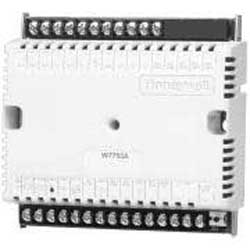
- Controls: Control boards, switches, and modules in this group manage how Honeywell-equipped HVAC equipment cycles on and off, interprets sensor input, and enforces safety shutoffs during abnormal operation.
Buying Guide
Confirm the exact equipment model and existing part number before ordering a replacement control or sensor, since Honeywell parts are rarely interchangeable across equipment generations even when housings look similar.
Check whether the failure is in the sensor itself or the control board it reports to. A sensor that reads out of range on a multimeter points to the sensor, while a board that won't respond to a known good sensor signal usually points to the control.
Review wiring diagrams for the specific equipment before disconnecting anything, since terminal labeling has changed across Honeywell product generations and a mismatched connection can damage a new control on first power up.
Factor in whether a direct replacement part is still available or whether a compatible upgrade kit is the more practical path, especially on older equipment where the original control has been discontinued.
Keep a record of the part numbers used on a piece of equipment after a repair, since it shortens the next service call and helps confirm compatibility if additional parts need replacing later.
Frequently Asked Questions
How do I confirm a replacement control is compatible with existing equipment?
Cross-reference the part number stamped on the failed component against the equipment manufacturer's parts list, since Honeywell often supplies the same control across multiple equipment brands under different model numbers.
What's the difference between a sensor and a control in this category?
A sensor measures a condition like temperature, pressure, or flame presence and sends that reading to the control, while the control interprets the reading and decides how the equipment should respond, such as cycling a burner or opening a valve.
Can a universal control replace a factory Honeywell part?
Some universal controls are designed to cover multiple equipment types, but confirming voltage, terminal count, and safety certification against the original part avoids a mismatch that could affect equipment safety.
Why would a new sensor still show a fault code after replacement?
A persistent fault after a sensor swap often points to a wiring issue, a control board that hasn't been reset, or a second failed component elsewhere in the safety circuit rather than the new sensor itself.
Is field calibration required after installing a new sensor?
Some sensor types need calibration or a reset sequence after installation to read accurately, so checking the manufacturer's installation instructions for the specific part before closing up the job prevents a callback.
Resources
Subcategories
- Controls: Control boards, switches, and modules in this group manage how Honeywell-equipped HVAC equipment cycles on and off, interprets sensor input, and enforces safety shutoffs during abnormal operation.
Buying Guide
Confirm the exact equipment model and existing part number before ordering a replacement control or sensor, since Honeywell parts are rarely interchangeable across equipment generations even when housings look similar.
Check whether the failure is in the sensor itself or the control board it reports to. A sensor that reads out of range on a multimeter points to the sensor, while a board that won't respond to a known good sensor signal usually points to the control.
Review wiring diagrams for the specific equipment before disconnecting anything, since terminal labeling has changed across Honeywell product generations and a mismatched connection can damage a new control on first power up.
Factor in whether a direct replacement part is still available or whether a compatible upgrade kit is the more practical path, especially on older equipment where the original control has been discontinued.
Keep a record of the part numbers used on a piece of equipment after a repair, since it shortens the next service call and helps confirm compatibility if additional parts need replacing later.
Frequently Asked Questions
How do I confirm a replacement control is compatible with existing equipment?
Cross-reference the part number stamped on the failed component against the equipment manufacturer's parts list, since Honeywell often supplies the same control across multiple equipment brands under different model numbers.
What's the difference between a sensor and a control in this category?
A sensor measures a condition like temperature, pressure, or flame presence and sends that reading to the control, while the control interprets the reading and decides how the equipment should respond, such as cycling a burner or opening a valve.
Can a universal control replace a factory Honeywell part?
Some universal controls are designed to cover multiple equipment types, but confirming voltage, terminal count, and safety certification against the original part avoids a mismatch that could affect equipment safety.
Why would a new sensor still show a fault code after replacement?
A persistent fault after a sensor swap often points to a wiring issue, a control board that hasn't been reset, or a second failed component elsewhere in the safety circuit rather than the new sensor itself.
Is field calibration required after installing a new sensor?
Some sensor types need calibration or a reset sequence after installation to read accurately, so checking the manufacturer's installation instructions for the specific part before closing up the job prevents a callback.