




Filters
SORT
Product Availability –
Mount –
Stages –
Review Score –
 --%3E %3Csvg version='1.1' id='Fill' xmlns='http://www.w3.org/2000/svg' xmlns:xlink='http://www.w3.org/1999/xlink' x='0px' y='0px' viewBox='0 0 100 100' enable-background='new 0 0 100 100' xml:space='preserve'%3E %3Cpath fill='%23F15C02' d='M79.44,0.95H20.56C9.78,0.95,0.95,9.78,0.95,20.56v58.87c0,10.79,8.82,19.61,19.61,19.61h58.87 c10.79,0,19.61-8.83,19.61-19.61V20.56C99.05,9.78,90.22,0.95,79.44,0.95z M65.38,58.24l9.38,29.58L49.69,69.78L24.5,87.82 l9.34-29.6L8.8,39.6l30.73-0.17c0,0,6.98-19.61,10-28.93c0.54,1.36,9.88,29.1,9.88,29.1H91.2L65.38,58.24z'/%3E %3C/svg%3E)
Wireless Thermostats



 --%3E %3Csvg version='1.1' id='No-RB' xmlns='http://www.w3.org/2000/svg' xmlns:xlink='http://www.w3.org/1999/xlink' x='0px' y='0px' viewBox='0 0 100 100' enable-background='new 0 0 100 100' xml:space='preserve'%3E %3Cpath fill='%23CECECE' d='M79.44,0.95H20.56C9.78,0.95,0.95,9.78,0.95,20.56v58.87c0,10.79,8.82,19.61,19.61,19.61h58.87 c10.79,0,19.61-8.83,19.61-19.61V20.56C99.05,9.78,90.22,0.95,79.44,0.95z M65.38,58.24l9.38,29.58L49.69,69.78L24.5,87.82 l9.34-29.6L8.8,39.6l30.73-0.17c0,0,6.98-19.61,10-28.93c0.54,1.36,9.88,29.1,9.88,29.1H91.2L65.38,58.24z'/%3E %3C/svg%3E)


Wireless Thermostats are temperature controls that communicate with a remote receiver or relay over a radio signal instead of running low-voltage thermostat wire between the wall unit and the equipment, making them a practical retrofit option where fishing wire through finished walls isn't feasible. Many RF models pair a 24V wireless stat with a line-voltage relay rated for 120, 208, or 240 volts at 20 Amps, letting the thermostat control electric baseboard or other line-voltage heat sources without a dedicated low-voltage run.
Other lines connect to home Wi-Fi networks instead of a dedicated RF signal, adding remote access and scheduling from a phone or tablet. Choosing between RF and Wi-Fi formats comes down to whether the equipment needs a dedicated relay kit or already has a compatible low-voltage connection, a decision that shapes both the installation method and the ongoing control options available to the occupant.
Subcategories
- RF Wireless Thermostats: RF wireless thermostats use a dedicated radio frequency signal to talk to a receiver wired into the equipment, rather than relying on a home's Wi-Fi network. King Electric's RF kits pair a 24V wireless stat with a line-voltage relay rated for 120, 208, or 240 volts at 20 Amps, letting the thermostat switch electric baseboard or other line-voltage heat directly. The RF format suits retrofits where running low-voltage wire between the wall and the heater isn't practical. Installers mount the receiver near the equipment and the wireless stat wherever occupants want temperature control.
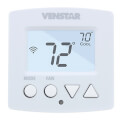
- Wi-Fi Thermostats: Wi-Fi thermostats connect to a home or building's existing wireless network instead of a dedicated RF signal, giving occupants remote access and scheduling through a phone app. Venstar's Explorer Mini and similar models fall into this category, built for both residential and light commercial programmable control. Contractors reach for Wi-Fi models when remote monitoring or scheduling flexibility matters more than simple on-site temperature control. Network setup adds a step during commissioning compared to RF-only models.
- RedLINK Wireless Thermostats: RedLINK wireless thermostats are Honeywell Home's proprietary two-way RF communication line, letting a wall thermostat talk to remote sensors, equipment interfaces, or a wireless adapter without a dedicated Wi-Fi connection. The TH5320R1002 is a non-programmable RedLINK model built for straightforward temperature control in retrofit applications. Two-way communication means the thermostat can confirm equipment status back to the wall unit rather than sending a one-way command. RedLINK accessories like remote sensors pair with the system for multi-room comfort.
- Thermostats with Remote Sensors: Thermostats with remote sensors add one or more wireless sensors placed away from the main thermostat to average or prioritize temperature readings across multiple rooms. Wiring runs only from each sensor's battery, communicating back to the thermostat over the same RF or Wi-Fi protocol the base unit uses. The added-sensor setup helps when the thermostat's own location, such as a hallway, doesn't reflect the actual temperature in rooms occupants use most. Contractors add these systems in homes with uneven heat distribution or large open floor plans.
Buying Guide
Start with what already exists at the equipment location. Line-voltage electric baseboard or wall heaters typically need an RF kit that pairs a 24V wireless stat with a relay rated for the heater's amperage and voltage, commonly 120, 208, or 240 volts at 20 Amps. Systems already running 24V low-voltage equipment, such as a furnace or heat pump, have more flexibility and can use either RF or Wi-Fi formats depending on what control features matter most.
Deciding between RF and Wi-Fi comes down to whether remote access matters. Wi-Fi models among Wireless Thermostats connect to an existing network and support remote scheduling and monitoring through a phone app, which appeals to property managers or homeowners who travel. RF-only models skip the network step entirely, communicating directly with a receiver at the equipment, which simplifies commissioning in buildings with spotty or restricted Wi-Fi access.
Two-way communication is worth checking for larger installs. Some RF platforms confirm equipment status back to the wall unit rather than sending a one-way command, which helps troubleshoot a call that isn't being answered. Adding remote sensors extends comfort control into rooms the main thermostat doesn't represent well, such as a hallway or stairwell. Confirming battery type and expected replacement interval for both the thermostat and any remote sensors avoids a surprise callback once the units are already mounted.
Frequently Asked Questions
What's the difference between RF and Wi-Fi wireless thermostats?
RF thermostats communicate with a dedicated receiver over a radio frequency signal and don't need a network connection, while Wi-Fi thermostats connect to an existing wireless network for remote access and scheduling through a phone app. RF setups work well where network access is unreliable or restricted, while Wi-Fi models add remote monitoring for occupants who travel. Equipment compatibility and desired control features usually determine which format fits a given job.
Can a wireless thermostat control an electric baseboard heater?
RF kits built for line-voltage equipment pair a 24V wireless stat with a relay rated for the heater's voltage and amperage, commonly 120, 208, or 240 volts at 20 Amps. The relay handles the actual heater load while the wireless stat sends the call signal, keeping high current away from the thermostat itself. Confirming the heater's amperage against the relay's rating before installation prevents an undersized connection.
What is RedLINK and how does it differ from standard RF?
RedLINK is Honeywell Home's proprietary two-way RF communication protocol, letting a wall thermostat confirm equipment status back from a receiver rather than only sending a one-way command. Two-way confirmation makes troubleshooting easier since the thermostat can show whether a call was actually received. RedLINK also supports accessory devices like remote temperature sensors on the same protocol.
Do wireless thermostats need batteries?
Most wireless wall units run on batteries since they aren't hardwired to a low-voltage circuit, while the receiver at the equipment typically draws power from the connected system. Battery life varies by model and usage, so checking expected replacement interval during installation helps set homeowner expectations. Battery-powered remote sensors used alongside a wireless thermostat follow the same consideration.
When does a remote sensor make sense with a wireless thermostat?
Remote sensors help when the thermostat's mounting location, such as a hallway or stairwell, doesn't reflect the temperature in rooms occupants actually use. Adding a sensor lets the system average or prioritize readings from the room that matters most for comfort. Homes with uneven heat distribution or large open floor plans benefit most from this addition.
