




'/%3E%3C/svg%3E)
Hover image to zoom
 --%3E %3Csvg version='1.1' id='Fill' xmlns='http://www.w3.org/2000/svg' xmlns:xlink='http://www.w3.org/1999/xlink' x='0px' y='0px' viewBox='0 0 100 100' enable-background='new 0 0 100 100' xml:space='preserve'%3E %3Cpath fill='%23F15C02' d='M79.44,0.95H20.56C9.78,0.95,0.95,9.78,0.95,20.56v58.87c0,10.79,8.82,19.61,19.61,19.61h58.87 c10.79,0,19.61-8.83,19.61-19.61V20.56C99.05,9.78,90.22,0.95,79.44,0.95z M65.38,58.24l9.38,29.58L49.69,69.78L24.5,87.82 l9.34-29.6L8.8,39.6l30.73-0.17c0,0,6.98-19.61,10-28.93c0.54,1.36,9.88,29.1,9.88,29.1H91.2L65.38,58.24z'/%3E %3C/svg%3E)
 --%3E %3Csvg version='1.1' id='Half' xmlns='http://www.w3.org/2000/svg' xmlns:xlink='http://www.w3.org/1999/xlink' x='0px' y='0px' viewBox='0 0 100 100' enable-background='new 0 0 100 100' xml:space='preserve'%3E %3Cg%3E %3Cpath fill='%23F15C02' d='M30.05,70.23l3.79-12.01L8.8,39.6l30.73-0.17c0,0,6.98-19.61,10-28.93c0.54,1.36,9.88,29.1,9.88,29.1h1.58 L93.71,7.18c-3.58-3.82-8.66-6.23-14.28-6.23H20.56C9.78,0.95,0.95,9.78,0.95,20.56v58.87c0,5.41,2.22,10.32,5.79,13.88 L30.05,70.23z'/%3E %3C/g%3E %3Cpath fill='%23FBC8B4' d='M93.71,7.18L60.98,39.6H91.2L65.38,58.24l9.38,29.58L49.69,69.78L24.5,87.82l5.55-17.59L6.75,93.32 c3.55,3.54,8.44,5.73,13.82,5.73h58.87c10.79,0,19.61-8.83,19.61-19.61V20.56C99.05,15.4,97.01,10.69,93.71,7.18z'/%3E %3C/svg%3E)
Hover image to zoom
' fill='%23F15C02' d='M49 0C21.938 0 0 21.938 0 49s21.938 49 49 49 49-21.938 49-49S76.062 0 49 0m0 82.709a7.54 7.54 0 1 1 0-15.08 7.54 7.54 0 0 1 0 15.08m7.54-28.412a7.541 7.541 0 0 1-15.08 0V22.831a7.54 7.54 0 0 1 15.08 0v31.466z'/%3E%3C/svg%3E)
PSWMOZ3 has been discontinued
Discontinued June 21, 2021
This product was discontinued by the manufacturer.
MANUALS (1)
 --%3E %3Csvg version='1.1' id='No-RB' xmlns='http://www.w3.org/2000/svg' xmlns:xlink='http://www.w3.org/1999/xlink' x='0px' y='0px' viewBox='0 0 100 100' enable-background='new 0 0 100 100' xml:space='preserve'%3E %3Cpath fill='%23CECECE' d='M79.44,0.95H20.56C9.78,0.95,0.95,9.78,0.95,20.56v58.87c0,10.79,8.82,19.61,19.61,19.61h58.87 c10.79,0,19.61-8.83,19.61-19.61V20.56C99.05,9.78,90.22,0.95,79.44,0.95z M65.38,58.24l9.38,29.58L49.69,69.78L24.5,87.82 l9.34-29.6L8.8,39.6l30.73-0.17c0,0,6.98-19.61,10-28.93c0.54,1.36,9.88,29.1,9.88,29.1H91.2L65.38,58.24z'/%3E %3C/svg%3E)

Description
–
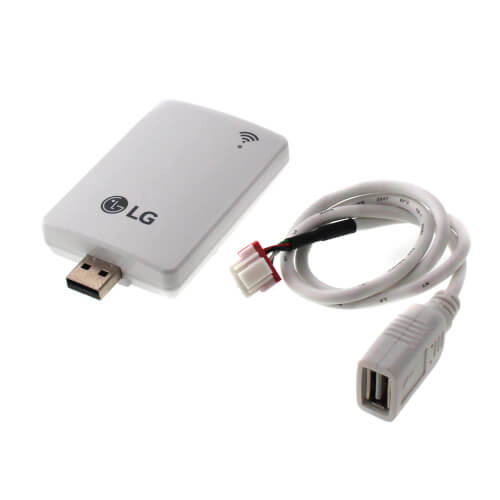
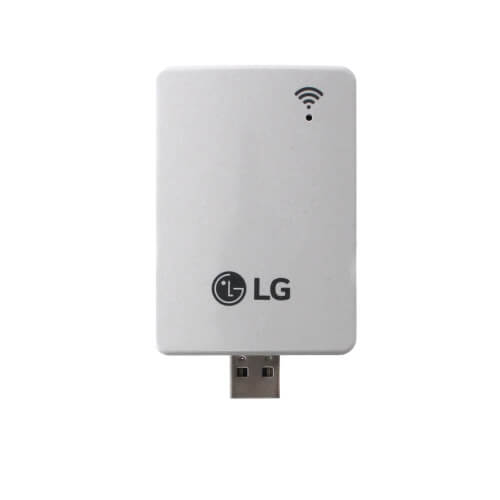
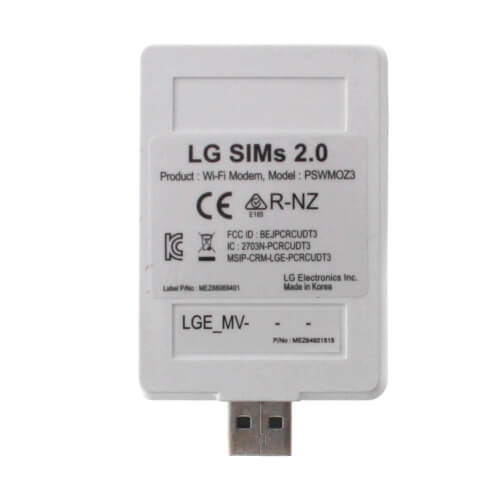
SIMs 2.0 Smart Inverter WiFi WLAN Monitoring Module
SIMs can display and graph operational data for the air conditioner system including the indoor unit and the outdoor unit. SIMs also displays error codes and a troubleshooting guide.
Operating Considerations:
SIMs can display and graph operational data for the air conditioner system including the indoor unit and the outdoor unit. SIMs also displays error codes and a troubleshooting guide.
Operating Considerations:
- LG SIMs 2.0 processes data in real time. If other functions of the smart phone are used at the same time as SIMs, smart phone resources may be insufficient for SIMs to process data or the SIMs connection may be disconnected. Please use the product with this in mind. Always use a smart phone with at least the minimum recommended specifications.
- The SIMs application may unexpectedly end due to insufficient system resources.
- Transmission/reception data volume may increase according to the number of indoor and outdoor units. SIMs response speed may be slower for some smart phone specifications.
- Wireless transmission/reception distance may be reduced or communication may be disconnected due to the operational environment (weather, electromagnetic interference or physical obstacles).
- SIMs may not work correctly with routed smart phones.
- As communication distance between the SIMs WLAN module and the smart phone increases, smart phone WLAN output may increase, causing greater drain on the smart phone battery. During use, keep the smart phone as close as safely possible to the SIMs WLAN module.
Specs
–
| Product Type: | Module |
|---|


Questions?
Speak with a real person who will go out of the way to help!
Call or text 888-757-4774
Monday – Thursday
8am–7:45pm
Friday
9am–7:45pm
Saturday – Sunday
9am–5:45pm
Product Reviews
4.5 out of 4 reviews
100% would recommend this product
5 star
50%
4 star
50%
3 star
0%
2 star
0%
1 star
0%
Customer Images
Showing 1-4 of 4 reviews
 --%3E %3Csvg version='1.1' id='With-RB' xmlns='http://www.w3.org/2000/svg' xmlns:xlink='http://www.w3.org/1999/xlink' x='0px' y='0px' viewBox='0 0 100 100' enable-background='new 0 0 100 100' xml:space='preserve'%3E %3Cpath fill='%23FBC8B4' d='M79.44,0.95H20.56C9.78,0.95,0.95,9.78,0.95,20.56v58.87c0,10.79,8.82,19.61,19.61,19.61h58.87 c10.79,0,19.61-8.83,19.61-19.61V20.56C99.05,9.78,90.22,0.95,79.44,0.95z M65.38,58.24l9.38,29.58L49.69,69.78L24.5,87.82 l9.34-29.6L8.8,39.6l30.73-0.17c0,0,6.98-19.61,10-28.93c0.54,1.36,9.88,29.1,9.88,29.1H91.2L65.38,58.24z'/%3E %3C/svg%3E)
Nice little diagnostic tool
Bought it to use on a LSU360HV3. Couldn't get it to connect with my newer Android phone but it did work with an older one I had in the house. It did show me that my target and actual freq settings were way off resulting in the conclusion that my compressor had locked up. Control pcb had been replaced.
Big D
Mesa, Az
6 years ago

Verified Buyer
Was this review helpful to you?
I will buy for the similar device for LG multi V
It is working great
I want to purchase similar device for LG multi F or multi V when it's available in supplyhousr.
Alex with LG
Ridgefield Park NJ
7 years ago
Verified Buyer
Was this review helpful to you?
A Must Have For Properly Checking LG
LG minis are a whole different beast
You can do all the calculations or you can just buy this hook it up. It tells you everything you need to know from error codes to target temp and performance data which you have to have for checking charge and rpms input and output air
Well worth the $100 because it sets you apart from everyone in being to do what others can't.
Jerimiah
IN
7 years ago
Verified Buyer
Was this review helpful to you?
SIMS 2.0 Multi F ODU Confusion
If you are purchasing SIMs 2.0 you probably are now aware of LG's vague instructions with the mini split. I purchased the SIMs 2.0 for a LMU480HV multi F Max unit just because I like to look at data. So when the unit arrived it was nicely packaged and of course vaguely documented with ALL mini split models in mind and non specific references for the Multi F Max ODU units. The directions call for locating a cable extending out from one the logic boards labeled MVC Jig. My Multi F Max unit did not have this cable so I deferred to the directions which states.... "If the MVC Jig cable is not present, connect the other end of the interface cable to the LGMV connector on the outdoor unit circuit board." Now I had one circuit board with a white female connector labeled 'LGMV' and an opposing circuit board with a black female connector labeled 'CN-Jig Connector. With the multi F max units the connections are all color coded and matching so it seemed reasonable that my white SIMS 2.0 connector would connect into the white 'LGMV' connector and of course the directions say to do so. Long story short I was able to connect the app to the phone but the only data observable was the outside temperature and RPM of the fans. All other temperature data was null or 450F degrees off actual temps.
I did some research and found a 48 page manual for LGMV android for Multi V and downloaded it from LG Canada. and on page 15 of 48 was a picture of the Multi F ODU and the 'CN-JIG Connector' - circled. I moved the connector from the LGMV to 'CN-JIG Connector' and all the data displays properly.
At the end of the day it all works, but way to much interpretation was required and it seems crazy that two manuals contradict each other, but the one that came with the product was not applicable for the LMU480HV, but I was able to find the applicable data on the Multi V LGMV manual online through LG Canada.
Nickname
Northern Wisconsin
10 years ago
Verified Buyer
Was this review helpful to you?