




Filters
SORT
Product Availability –
Application –
Programmability –
Mount –
User Interface –
Options –
Review Score –
 --%3E %3Csvg version='1.1' id='Fill' xmlns='http://www.w3.org/2000/svg' xmlns:xlink='http://www.w3.org/1999/xlink' x='0px' y='0px' viewBox='0 0 100 100' enable-background='new 0 0 100 100' xml:space='preserve'%3E %3Cpath fill='%23F15C02' d='M79.44,0.95H20.56C9.78,0.95,0.95,9.78,0.95,20.56v58.87c0,10.79,8.82,19.61,19.61,19.61h58.87 c10.79,0,19.61-8.83,19.61-19.61V20.56C99.05,9.78,90.22,0.95,79.44,0.95z M65.38,58.24l9.38,29.58L49.69,69.78L24.5,87.82 l9.34-29.6L8.8,39.6l30.73-0.17c0,0,6.98-19.61,10-28.93c0.54,1.36,9.88,29.1,9.88,29.1H91.2L65.38,58.24z'/%3E %3C/svg%3E)
 --%3E %3Csvg version='1.1' id='With-RB' xmlns='http://www.w3.org/2000/svg' xmlns:xlink='http://www.w3.org/1999/xlink' x='0px' y='0px' viewBox='0 0 100 100' enable-background='new 0 0 100 100' xml:space='preserve'%3E %3Cpath fill='%23FBC8B4' d='M79.44,0.95H20.56C9.78,0.95,0.95,9.78,0.95,20.56v58.87c0,10.79,8.82,19.61,19.61,19.61h58.87 c10.79,0,19.61-8.83,19.61-19.61V20.56C99.05,9.78,90.22,0.95,79.44,0.95z M65.38,58.24l9.38,29.58L49.69,69.78L24.5,87.82 l9.34-29.6L8.8,39.6l30.73-0.17c0,0,6.98-19.61,10-28.93c0.54,1.36,9.88,29.1,9.88,29.1H91.2L65.38,58.24z'/%3E %3C/svg%3E)
Price Range –
PRO Honeywell Home Thermostats

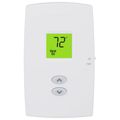

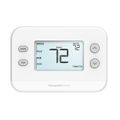
 --%3E %3Csvg version='1.1' id='Half' xmlns='http://www.w3.org/2000/svg' xmlns:xlink='http://www.w3.org/1999/xlink' x='0px' y='0px' viewBox='0 0 100 100' enable-background='new 0 0 100 100' xml:space='preserve'%3E %3Cg%3E %3Cpath fill='%23F15C02' d='M30.05,70.23l3.79-12.01L8.8,39.6l30.73-0.17c0,0,6.98-19.61,10-28.93c0.54,1.36,9.88,29.1,9.88,29.1h1.58 L93.71,7.18c-3.58-3.82-8.66-6.23-14.28-6.23H20.56C9.78,0.95,0.95,9.78,0.95,20.56v58.87c0,5.41,2.22,10.32,5.79,13.88 L30.05,70.23z'/%3E %3C/g%3E %3Cpath fill='%23FBC8B4' d='M93.71,7.18L60.98,39.6H91.2L65.38,58.24l9.38,29.58L49.69,69.78L24.5,87.82l5.55-17.59L6.75,93.32 c3.55,3.54,8.44,5.73,13.82,5.73h58.87c10.79,0,19.61-8.83,19.61-19.61V20.56C99.05,15.4,97.01,10.69,93.71,7.18z'/%3E %3C/svg%3E)
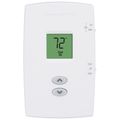
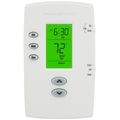

 --%3E %3Csvg version='1.1' id='No-RB' xmlns='http://www.w3.org/2000/svg' xmlns:xlink='http://www.w3.org/1999/xlink' x='0px' y='0px' viewBox='0 0 100 100' enable-background='new 0 0 100 100' xml:space='preserve'%3E %3Cpath fill='%23CECECE' d='M79.44,0.95H20.56C9.78,0.95,0.95,9.78,0.95,20.56v58.87c0,10.79,8.82,19.61,19.61,19.61h58.87 c10.79,0,19.61-8.83,19.61-19.61V20.56C99.05,9.78,90.22,0.95,79.44,0.95z M65.38,58.24l9.38,29.58L49.69,69.78L24.5,87.82 l9.34-29.6L8.8,39.6l30.73-0.17c0,0,6.98-19.61,10-28.93c0.54,1.36,9.88,29.1,9.88,29.1H91.2L65.38,58.24z'/%3E %3C/svg%3E)


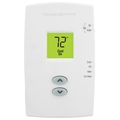
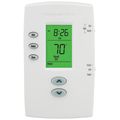
Honeywell Home PRO Thermostats are a line of residential and light commercial thermostats built for professional installation by HVAC contractors. The PRO lineup covers non-programmable, programmable, and Wi-Fi connected models, giving contractors a consistent installation and wiring platform across different budget tiers and home configurations. Compatibility spans conventional single-stage systems, multi-stage gas and electric furnaces, and heat pump systems with auxiliary heat staging, which lets a contractor standardize on one thermostat family across a mixed service route. Screens range from simple backlit displays on entry-level units to full-color touchscreens on the connected models, and most PRO thermostats support common C-wire and battery-backup wiring configurations found in older homes. For contractors who value one training curve, one wiring pattern, and one troubleshooting process across a wide range of jobs, standardizing on Honeywell Home PRO Thermostats cuts down on callback confusion and keeps a truck stock simpler.
Subcategories
- Non-Programmable Models: Non-programmable Honeywell Home PRO thermostats give building occupants a single fixed setpoint that stays constant until manually changed. Contractors often specify these for rental units, small offices, and other spaces where a fixed schedule from a landlord or property manager matters more than energy-saving automation. Wiring is straightforward and matches the same terminal layout used across the rest of the PRO line, which keeps installation time short. The units pair well with basic single-stage heating and cooling equipment.
- Programmable Models: Programmable PRO thermostats let occupants set multiple temperature periods across a day and week, cutting run time during unoccupied hours. Contractors commonly install programmable models in single-family homes and multi-tenant buildings where an owner wants energy savings without a smart app dependency. Setup covers wake, leave, return, and sleep periods on a schedule that varies by the specific model chosen. Battery backup keeps stored programs intact during a power outage.
- Smart Wi-Fi Models: Smart Wi-Fi PRO thermostats add remote access, so occupants can adjust the schedule or check current temperature from a smartphone app. Contractors specify these when a homeowner or property manager wants remote monitoring across several installed sites or units. Setup requires a home Wi-Fi network and a C-wire in most cases, so contractors should confirm available wiring during a site visit before quoting the job. Firmware updates typically happen automatically over the connected network.
- Heat Pump Compatible Models: Heat pump compatible PRO thermostats add the staging logic needed to manage auxiliary or emergency heat alongside a heat pump's primary heating mode. Contractors rely on these models for split-system heat pumps and packaged units where reversing valve control and multi-stage heat strips both need coordinated logic. Correct setup includes configuring changeover type and heat pump lockout settings to avoid running auxiliary heat unnecessarily. Getting these settings wrong is one of the most common comeback calls on heat pump thermostat installs.
Buying Guide
Choosing among Honeywell Home PRO Thermostats starts with confirming what wiring is already present at the job site. A C-wire simplifies the choice, since it opens up the full programmable and Wi-Fi lineup, while a site without one narrows the field toward models built for wire-limited retrofits. Next comes matching the thermostat to the equipment: conventional single-stage furnaces and air conditioners need the least configuration, while multi-stage gas furnaces and heat pumps require a model built to handle staging, changeover, and auxiliary heat logic correctly. Contractors working a rental portfolio often standardize on non-programmable or simple programmable Honeywell Home PRO Thermostats to reduce tenant complaints about unfamiliar controls, while owner-occupied homes are a better fit for the Wi-Fi connected models that give occupants remote access and usage history. Budget matters too, since a mismatch between thermostat capability and system complexity either wastes money on unused features or leaves useful staging logic unconfigured. It also helps to check screen size and mounting plate compatibility against the existing wall opening, since swapping in a larger PRO thermostat sometimes leaves an exposed paint or drywall mark that requires a cover plate. Finally, confirm whether the homeowner wants app-based remote access before quoting a Wi-Fi model, since that decision affects both the installation time and the support conversation after the job is done.
Frequently Asked Questions
Do Honeywell Home PRO Thermostats need a C-wire?
Non-programmable models can often run on battery power alone, but programmable and Wi-Fi connected PRO thermostats generally need a C-wire for continuous power. If a job site lacks one, running a new low-voltage wire or using a wiring adapter is usually the fastest fix. Confirming wiring during the site visit avoids a return trip once the thermostat is out of the box.
Can Honeywell Home PRO Thermostats control a heat pump with auxiliary heat?
Yes, select PRO models are built specifically for heat pump systems and support staged auxiliary or emergency heat. Configuring changeover type and heat pump lockout temperature correctly during setup keeps the auxiliary heat from running more than necessary. Skipping this step is a common cause of higher than expected utility bills after installation.
What is the difference between non-programmable and programmable PRO thermostats?
A non-programmable model holds one setpoint until someone changes it by hand, while a programmable model runs a preset schedule across different times of day. Programmable models suit owner-occupied homes looking to cut run time during unoccupied hours, while non-programmable models are common in rentals where a simple, tamper-resistant control is preferred.
Do smart Wi-Fi PRO thermostats work without an app?
Yes, the thermostat still functions as a standard wall-mounted control even without the app connected, since the physical interface handles setpoint and schedule changes locally. The app adds remote access and notifications but is not required for day-to-day operation. Losing a Wi-Fi connection does not disable heating or cooling control at the thermostat itself.
How do I know which Honeywell Home PRO Thermostat fits a specific job?
Start with the equipment type, since conventional, multi-stage, and heat pump systems each call for different staging support. Then confirm available wiring, particularly whether a C-wire is present, before deciding between a battery-only model and a continuously powered one. Matching equipment and wiring first narrows the PRO lineup down to a short, workable list for the quote.
