




'/%3E%3C/svg%3E)
 --%3E %3Csvg version='1.1' id='Fill' xmlns='http://www.w3.org/2000/svg' xmlns:xlink='http://www.w3.org/1999/xlink' x='0px' y='0px' viewBox='0 0 100 100' enable-background='new 0 0 100 100' xml:space='preserve'%3E %3Cpath fill='%23F15C02' d='M79.44,0.95H20.56C9.78,0.95,0.95,9.78,0.95,20.56v58.87c0,10.79,8.82,19.61,19.61,19.61h58.87 c10.79,0,19.61-8.83,19.61-19.61V20.56C99.05,9.78,90.22,0.95,79.44,0.95z M65.38,58.24l9.38,29.58L49.69,69.78L24.5,87.82 l9.34-29.6L8.8,39.6l30.73-0.17c0,0,6.98-19.61,10-28.93c0.54,1.36,9.88,29.1,9.88,29.1H91.2L65.38,58.24z'/%3E %3C/svg%3E)
 --%3E %3Csvg version='1.1' id='Half' xmlns='http://www.w3.org/2000/svg' xmlns:xlink='http://www.w3.org/1999/xlink' x='0px' y='0px' viewBox='0 0 100 100' enable-background='new 0 0 100 100' xml:space='preserve'%3E %3Cg%3E %3Cpath fill='%23F15C02' d='M30.05,70.23l3.79-12.01L8.8,39.6l30.73-0.17c0,0,6.98-19.61,10-28.93c0.54,1.36,9.88,29.1,9.88,29.1h1.58 L93.71,7.18c-3.58-3.82-8.66-6.23-14.28-6.23H20.56C9.78,0.95,0.95,9.78,0.95,20.56v58.87c0,5.41,2.22,10.32,5.79,13.88 L30.05,70.23z'/%3E %3C/g%3E %3Cpath fill='%23FBC8B4' d='M93.71,7.18L60.98,39.6H91.2L65.38,58.24l9.38,29.58L49.69,69.78L24.5,87.82l5.55-17.59L6.75,93.32 c3.55,3.54,8.44,5.73,13.82,5.73h58.87c10.79,0,19.61-8.83,19.61-19.61V20.56C99.05,15.4,97.01,10.69,93.71,7.18z'/%3E %3C/svg%3E)
' fill='%23F15C02' d='M49 0C21.938 0 0 21.938 0 49s21.938 49 49 49 49-21.938 49-49S76.062 0 49 0m0 82.709a7.54 7.54 0 1 1 0-15.08 7.54 7.54 0 0 1 0 15.08m7.54-28.412a7.541 7.541 0 0 1-15.08 0V22.831a7.54 7.54 0 0 1 15.08 0v31.466z'/%3E%3C/svg%3E)
MANUALS (3)

 --%3E %3Csvg version='1.1' id='No-RB' xmlns='http://www.w3.org/2000/svg' xmlns:xlink='http://www.w3.org/1999/xlink' x='0px' y='0px' viewBox='0 0 100 100' enable-background='new 0 0 100 100' xml:space='preserve'%3E %3Cpath fill='%23CECECE' d='M79.44,0.95H20.56C9.78,0.95,0.95,9.78,0.95,20.56v58.87c0,10.79,8.82,19.61,19.61,19.61h58.87 c10.79,0,19.61-8.83,19.61-19.61V20.56C99.05,9.78,90.22,0.95,79.44,0.95z M65.38,58.24l9.38,29.58L49.69,69.78L24.5,87.82 l9.34-29.6L8.8,39.6l30.73-0.17c0,0,6.98-19.61,10-28.93c0.54,1.36,9.88,29.1,9.88,29.1H91.2L65.38,58.24z'/%3E %3C/svg%3E)
Product Highlights


Description
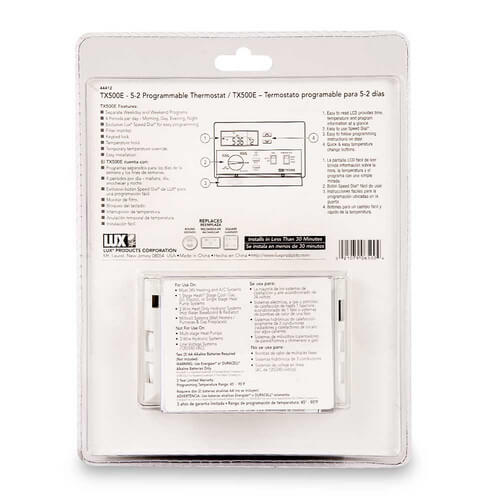
For Use On:
- Most 24 Volt Heating and A/C Systems
- Single-Stage Heating and Cooling
- Operates Heating Only Systems
- Operates Cooling Only Systems
- Furnace (Forced Air Systems)
- Central Air Conditioning Systems
- Heat Pumps without Auxiliary Heat
- 2-Wire Hydronic (Hot Water Baseboard & Radiators) Systems
- 750 Millivolt Systems (Wall Heaters / Gas Fireplaces)
- Line Voltage (120/240 VAC) Electric Baseboard Heat
- 3-Wire Zone Valve Hydronic (Hot Water) Systems
- Multi-Stage Heating and Cooling
- Heat Pumps with Auxiliary Heat
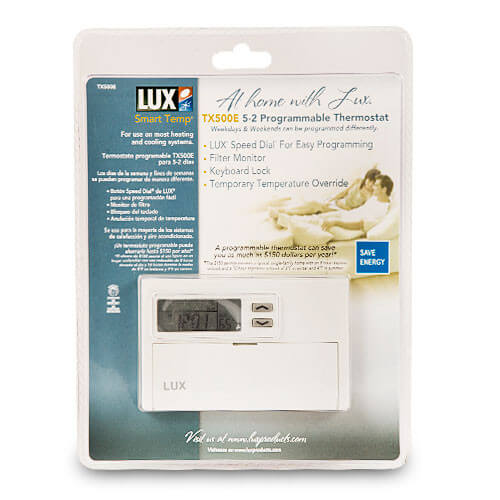
- 5-2 Day Programming
- 4 Periods per Day
- Easy do-it-yourself installation
- LUX patented user-friendly Speed Dial® - the most user friendly programming device available
- Filter usage monitor and alert
- Default Energy Star approved program
- Temporary Temperature Override
- Temperature Hold
- Keyboard Lockout
- Temperature Calibration
- Swing Settings #1 - #9
- Fahrenheit or Celsius temperature Scale
- 12/24 Time Format
- Low Battery Warning Indicator
- Mercury Free
- Energy Star Compliant
Specs
| Application: | Heat Pump Single-Stage (Heat/Cool) |
|---|---|
| Stages: | 1 Heat/1 Cool |
| Programmability: | 5-2 Day Programmable |
| User Interface: | Push Button |
| Mount: | Horizontal |
| Options: | Fan Control Password Lockout |
| Voltage: | 24V |
| Power Method: | Battery |
| Warranty: | 3 Year |


Questions?
Compare Similar Products
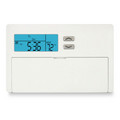
Single-Stage (Heat/Cool)
Programmable
Product Reviews
Most Liked Positive Review
Lux TX500E
Most Liked Negative Review
 --%3E %3Csvg version='1.1' id='With-RB' xmlns='http://www.w3.org/2000/svg' xmlns:xlink='http://www.w3.org/1999/xlink' x='0px' y='0px' viewBox='0 0 100 100' enable-background='new 0 0 100 100' xml:space='preserve'%3E %3Cpath fill='%23FBC8B4' d='M79.44,0.95H20.56C9.78,0.95,0.95,9.78,0.95,20.56v58.87c0,10.79,8.82,19.61,19.61,19.61h58.87 c10.79,0,19.61-8.83,19.61-19.61V20.56C99.05,9.78,90.22,0.95,79.44,0.95z M65.38,58.24l9.38,29.58L49.69,69.78L24.5,87.82 l9.34-29.6L8.8,39.6l30.73-0.17c0,0,6.98-19.61,10-28.93c0.54,1.36,9.88,29.1,9.88,29.1H91.2L65.38,58.24z'/%3E %3C/svg%3E)
good price
Great product

Yes, I will buy it again.
Lux Thermostat
good price
It's OK
So far so good!
Good Product
I bought 5 of these Thermostats
It arrived fast and was a snap to instal
Economical price
Product Q&A
9 QuestionsQ: What are the dimensions of thus unit?
Asked by Lotta neer 10 years ago
Add your answer
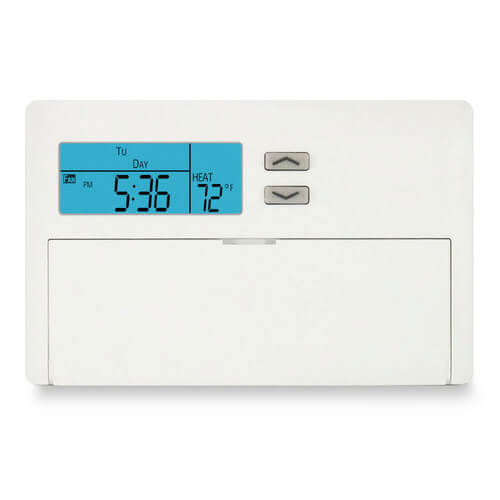
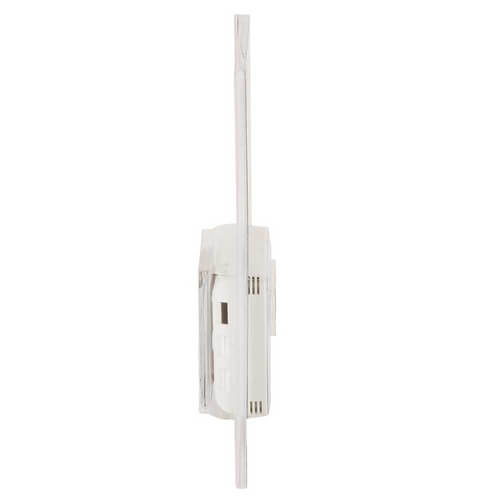
Verified Reply- SupplyHouse StaffLux lists dimensions as : width: 5.375" (136mm) height: 3.375" (86mm) depth: 1.125" (28mm)
Q: Does the LUX500E have a back light on the display?
Asked by Kevin EE 13 years ago
Add your answer
No, it doesn't. Michael Nguyen
No
Q: I just installed a Pellet Stove and it came with a LUXPRO PSM30SA. I would like to replace it with a Programmable Thermostat. Will the Lux TX500e do the trick without having to rewire?
Asked by Gretchen 14 years ago
Add your answer
Verified Reply- PexSupply StaffThey're both low-voltage thermostats, so we see no reason why you couldn't use this thermostat (although you may want to check with the pellet stove manufacturer to be sure).
I believe it will do the trick because the Lux TX500e has many configurations. All you need is choose the one that best matches with your system wire configuration. I like the Lux TX500e very much because it allows me to change the temperature four times per day and seven days per week. It also has combination to lock out the keypad so nobody can change temperature without knowing the combination. I removed the name and model on my to protect the combination. I hope this information will help you!
Q: My thermostat indicated OL next to temperature set. What's the OL means? Why did the temperature changes have no effect or not working?
Asked by James 15 years ago
Add your answer
Verified Reply- PexSupply StaffAccording to the manufacturer, "OL" means Out of Limits. The sensor is reading outside the thermostat's display limit of 32°F to 95°F. When the temperature returns to within these limits, the temperature display will reappear. If the actual room temperature is not outside these limits, there may be a malfunction. Press RESET using a small Philips screw driver, then reconfigure and reprogram.
Q: will the tx500e work on heatpump with aux heat
Asked by 15 years ago
Add your answer
Verified Reply- PexSupply StaffNo, this thermostat is not designed for use on heat pumps with auxiliary heat.
Q: Will rhis work on a 12 volt sysrem ?
Asked by Leonard 15 years ago
Add your answer
Verified Reply- PexSupply StaffThe TX500E will work with most 12-volt systems.
Q: does anyone know how to turn this one up I can't get the temperature to rise above 72
Asked by 15 years ago
Add your answer
Verified Reply- PexSupply StaffWe suggest looking at the following manual: http://s3.pexsupply.com/manuals/1273849501144/30418_PROD_FILE.pdf Also, ensure that the heat emitter in the room is big enough to bring the room to 72 degrees.
Q: I set the thermostat to 65, but the actual temperature in the room keeps rising well over 74. I have tried the HOLD button and everything, but temp keeps rising?
Asked by Lee 16 years ago
Add your answer
Verified Reply- PexSupply StaffIt sounds like you should check the program set in the thermostat. You may need to change the program that is saved.
Q: anyone know how to unlock the thermostat
Asked by foote 16 years ago
Add your answer
Verified Reply- PexSupply StaffAccording to the manufacturer, the following sequence of keys will lock and also unlock these items: UP, DOWN, NEXT, HOLD, the Rotary Dial, and the Software Reset button.